Roleplaying and GM notes mostly in Gloranthan context
Author: hkokko
Name
Hannu Kokko
In private life
I enjoy roleplaying games, photography and seeing new places and cultures. Retired from working life.
In working life
While there worked with large scale agile software development and architecture close to my heart and practiced daily. Large scale here is anything involving up to dozens of teams working for the same release.
Continuous integration as a cornerstone of making agile development feasible and to help keep the rhythm has been in my focus for quite a bit My latest job before retiring was working as a software development leader, at Elisa as CTO, Smart Energy Solutions. As a secondary occupation a Principal Consultant at Kohilleen Consulting - RD leadership consultancy business.
In private life
I enjoy roleplaying games, photography and seeing new places and cultures.
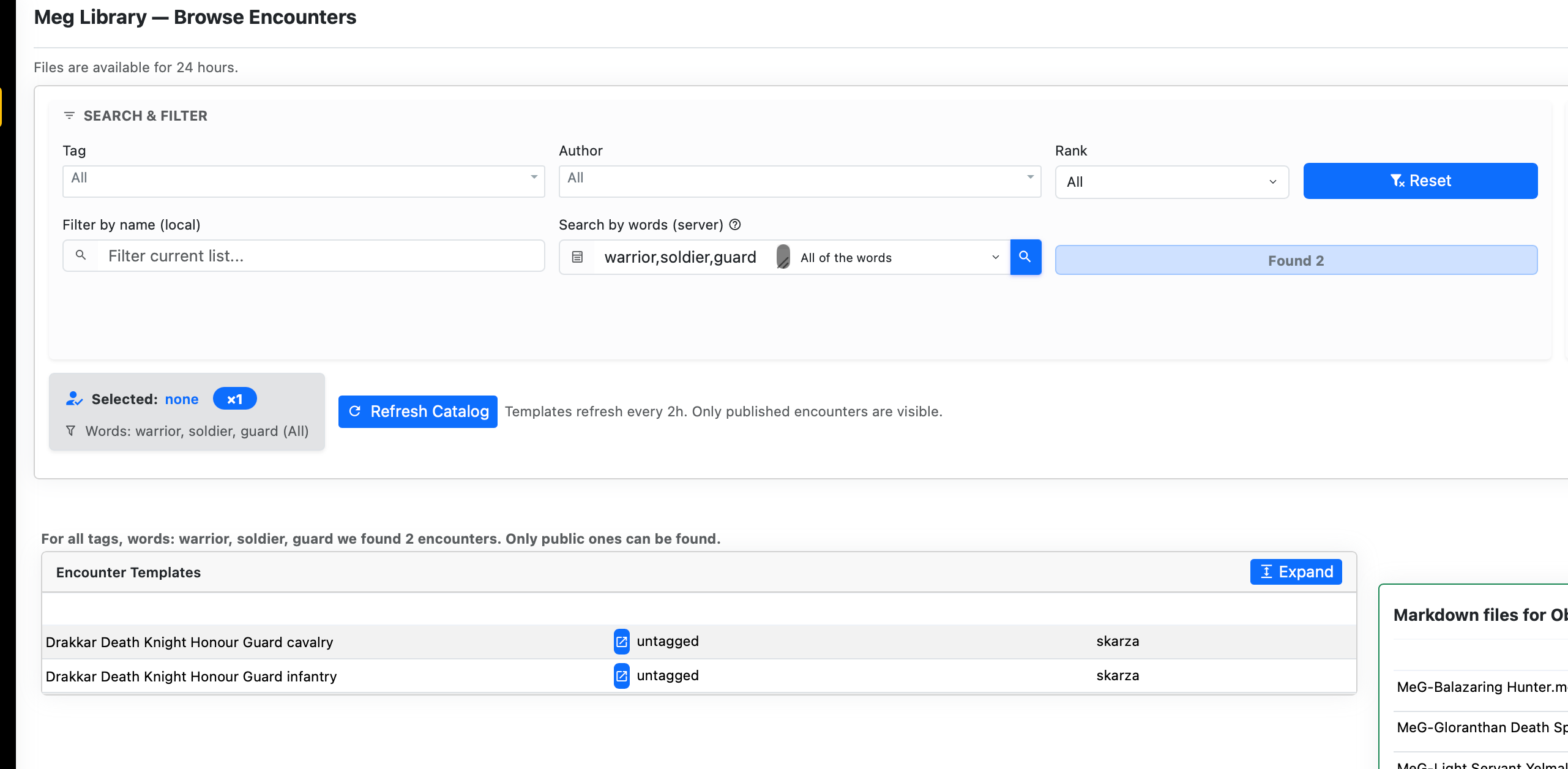
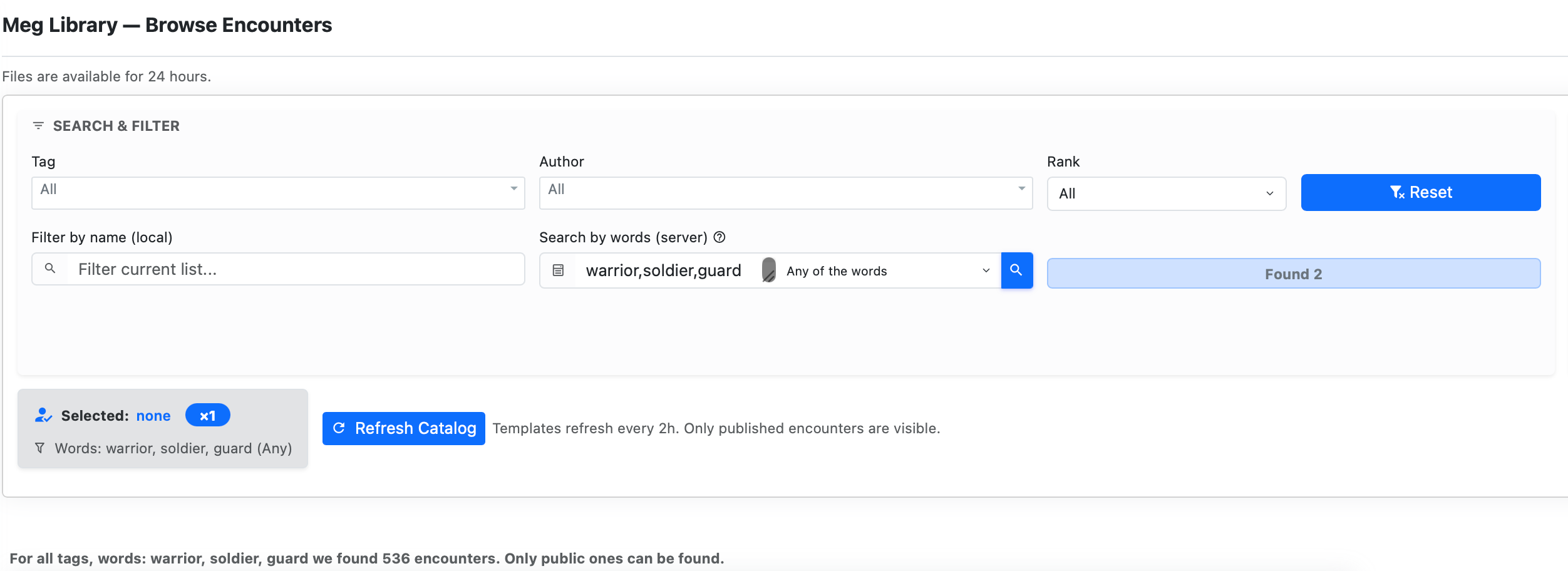
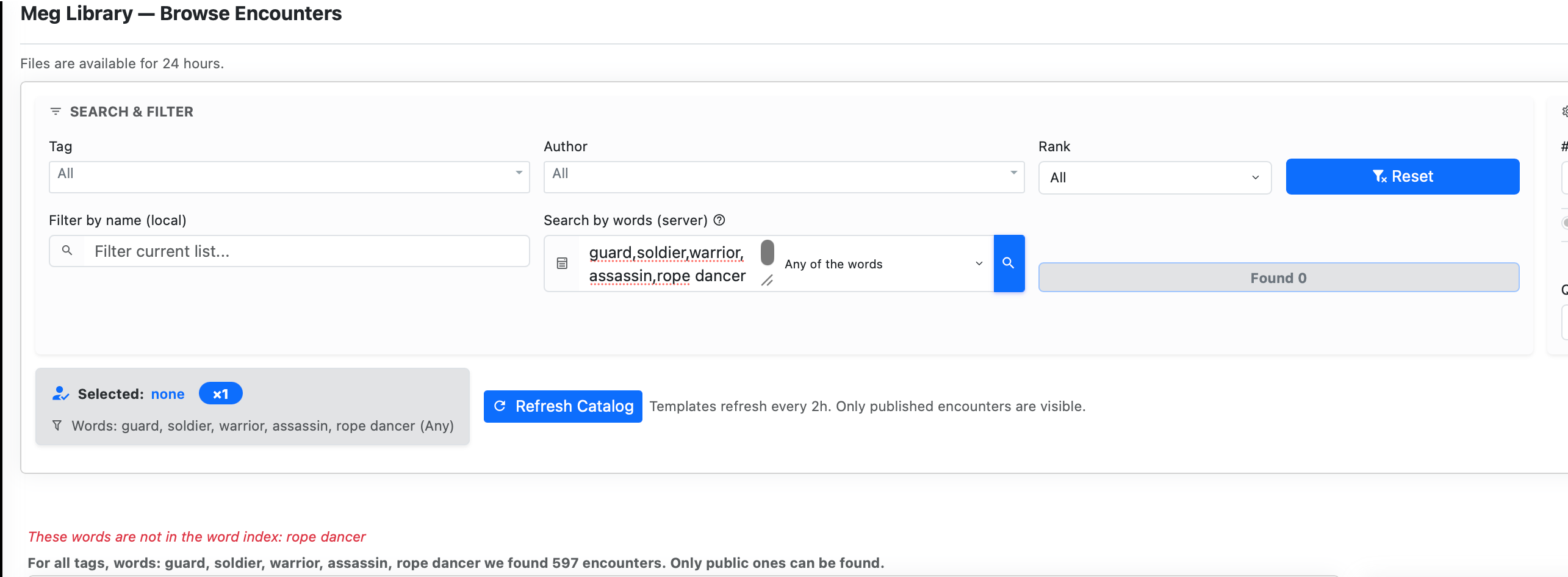
The new tools are search by words contained in tags, name, race and notes content. Words search can force all words in the search words or any of the words in the words search field. MeG Library searches those from the word index that does not contain some common filler words. If you type in words that are not in the word index, MeG Library will inform that to you. MeG Library has generated three common synonyms for the words that exist in the MeG and inserted them to word index.
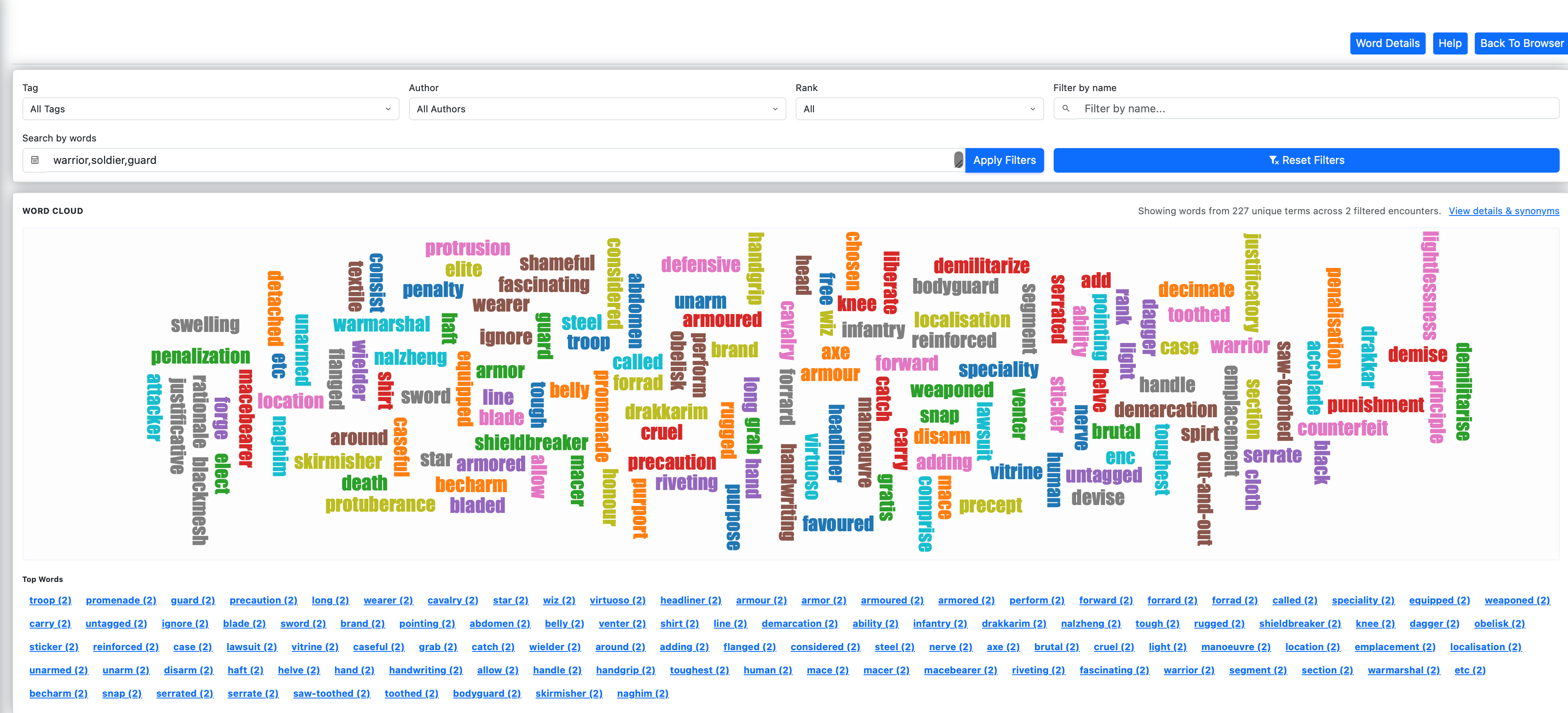
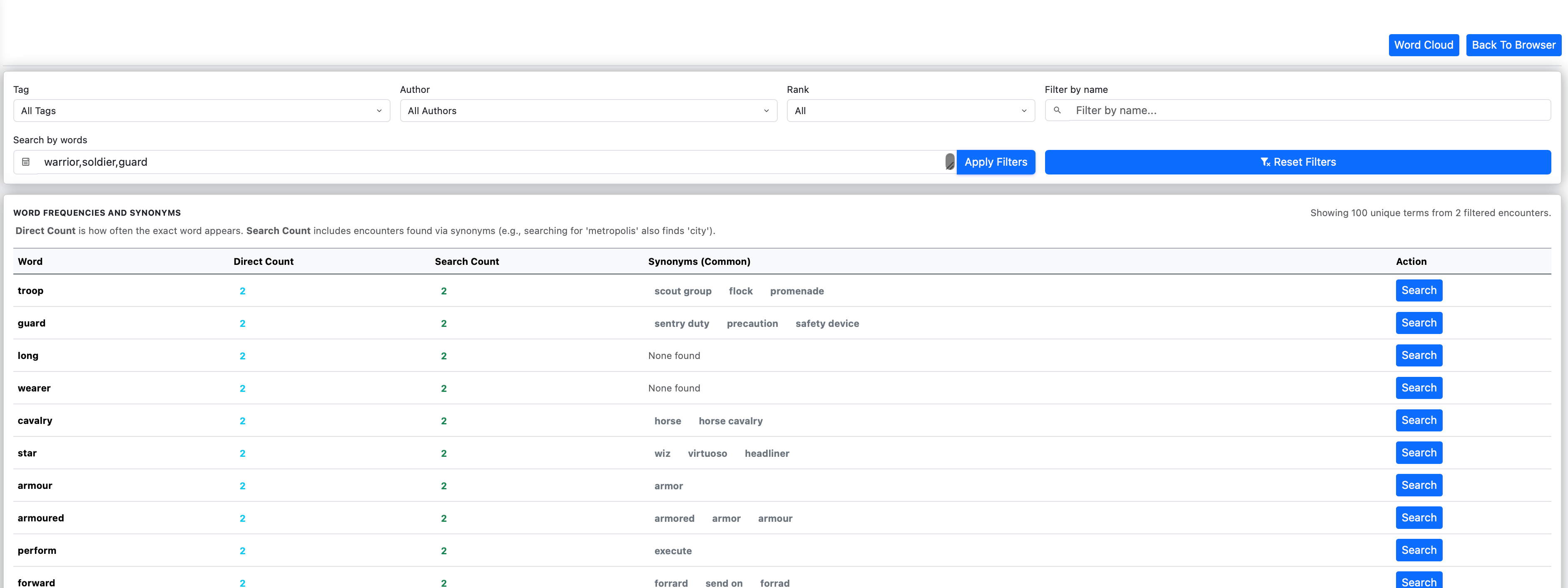
You can find what words exist and what words are popular using Word Cloud feature and you can see all the words in the words detail view. Either of those pages can get you back to Meg Library page with the selected words.
🧠 Advanced Search, Word Cloud, and Generation Features
Word Index (Deep Search)
Search now reaches across the entire dataset, including names, tags, and notes.
Normalization and synonym expansion improve recall and reduce missed matches.
Search Modes (AND / OR)
Choose whether results must match all search terms or any of them.
Your selection persists between sessions for a consistent workflow.
Word Cloud & Word Details
Explore keyword distribution visually or inspect exact counts and synonym mappings through the new Word Details view.
Combined Markdown Toggle
Control encounter output format:
ON → single combined file
OFF → individual files per entity
⚙️ Index Refinements, Rebranding, and UI Enhancements
Word Index Filtering
Introduced a centralized filtering system that removes filler words and search noise.
This improves relevance in both the Word Index and Word Cloud.
Meg Library (Rebranding)
“MeG JSON” has been renamed to Meg Library.
All routes updated to /meglib/ for consistency and future expansion.
You can find more about the new features of the companion app for MeG here
Summary View, Enhanced Filtering, and Persistence Improvements
This update introduces the MeG Catalog Summary, significant filtering enhancements including URL synchronization, and improved session stability.
What changed
MeG Catalog Summary. A new bird’s-eye view of the encounter library, showing counts grouped by Tag and Rank for easier content discovery.
URL Parameter Synchronization. Your filter selections (Name, Tag, Author, Rank) are now automatically reflected in the browser URL, allowing you to bookmark or share specific library views.
Deep-linking & ID Selection. Use the ?id=... URL parameter to automatically find, select, and highlight a specific encounter in the catalog.
Robust “No tag” Support. Improved handling for untagged entries in both filtering logic and dropdown updates.
Extended Session TTL. Session persistence has been increased to 48 hours to better support long-running RPG sessions :-).
Improved Stability. Refined error handling for content writes and session-file reloads ensures a more reliable experience during heavy generation tasks.
Impact: Easier navigation of the vast encounter library, better ways to save your favorite filters, and a more stable environment for your game preparation.
What’s New — March 26, 2026 (local time)
PDF Export, Combat Notes, and Improved Naming
This update adds PDF export capabilities, integrated combat rules reminders, and significant improvements to naming and UI readability.
What changed
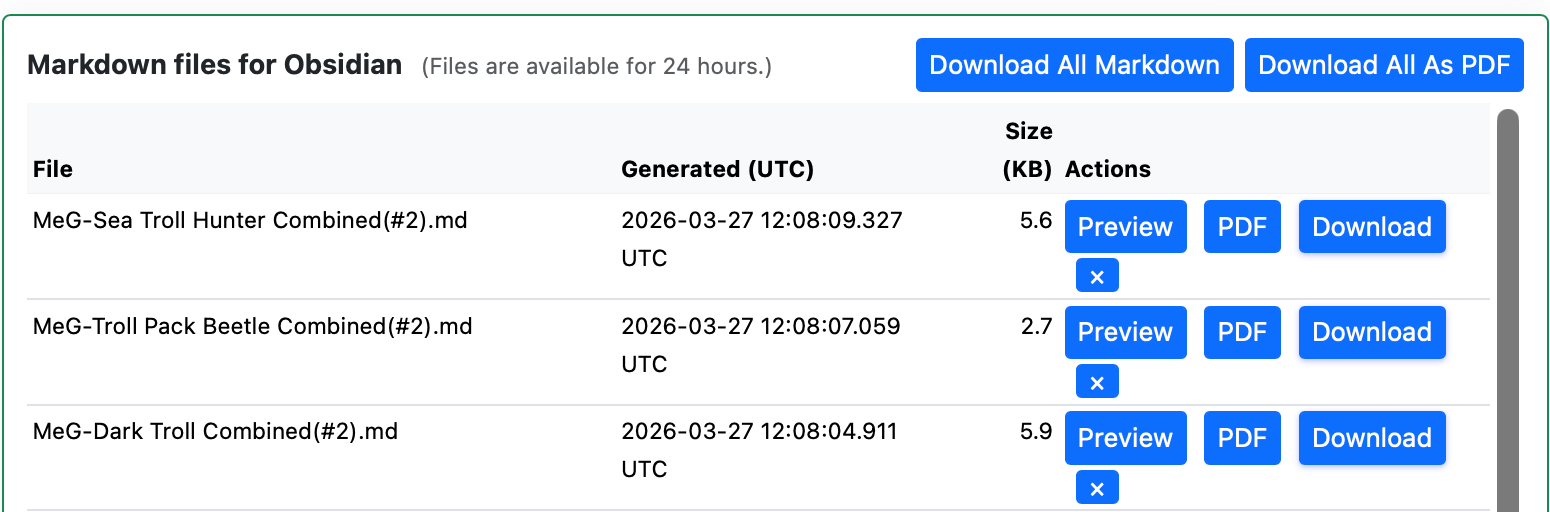
PDF Export. Individual session files can now be downloaded as styled PDFs. Also added a “Zip all as PDF” feature for bulk exports.
Filtering by MeG Content words. The search will search for the word (at least 3 characters) in name, tags, race and notes. Several filler words like “and”, “have” etc are not searched
Combat Notes. A new generation toggle adds automated rule reminders for Strength Tactics, Reach, Parry, Knockback, Bash, and Sunder to your statblocks.
Improved Naming. Encounter summaries are now prefixed with “Summary -” (replacing “MeG -“), and the UI uses a new `split_wordcase` filter for better readability of creature names.
Direct link to MeG from the Encounter table. (The arrow right next to Tags)
Reach & Initiative. Refined Melee Initiative calculations and Reach rules integration in both the MeG Library and the Initiative Wheel.
Chaos Features. Added support for Chaos feature effects on initiative calculations.
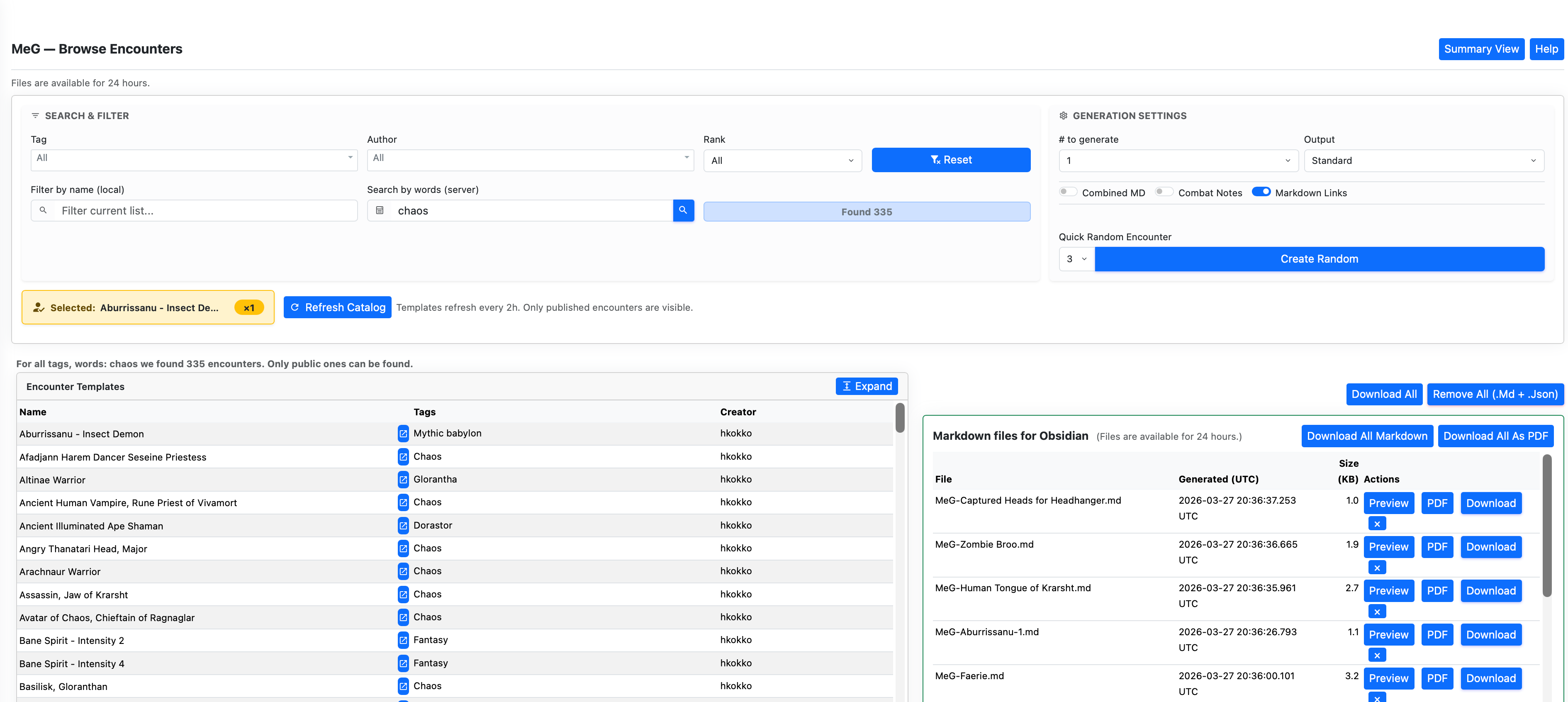
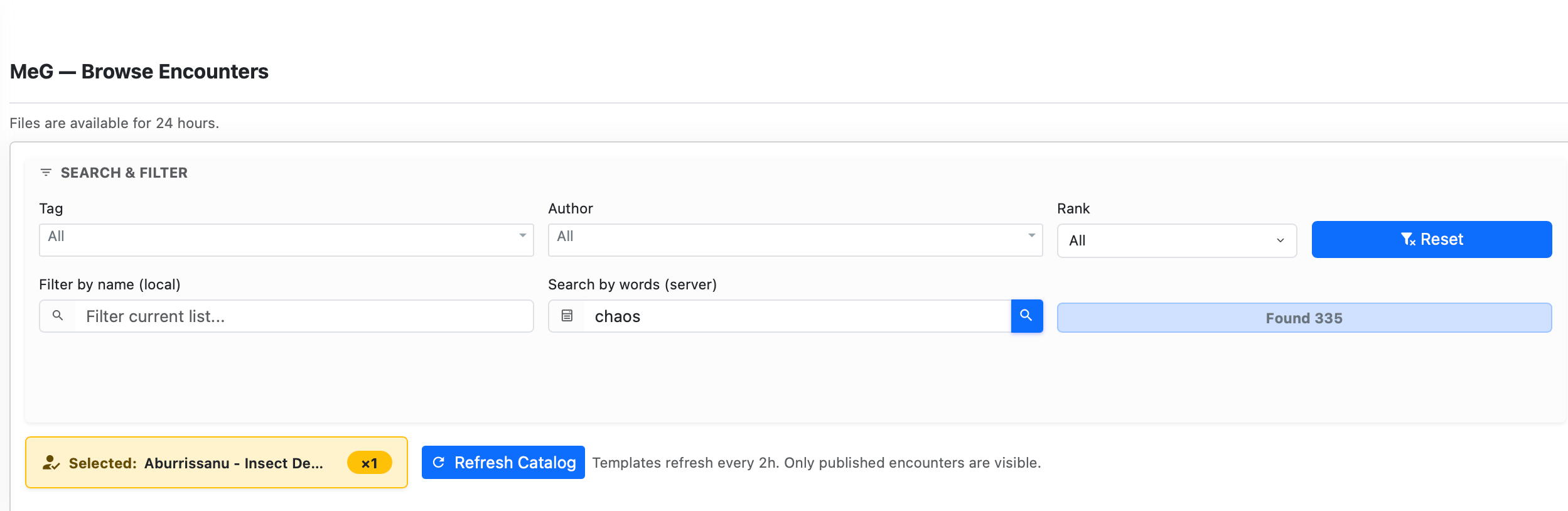
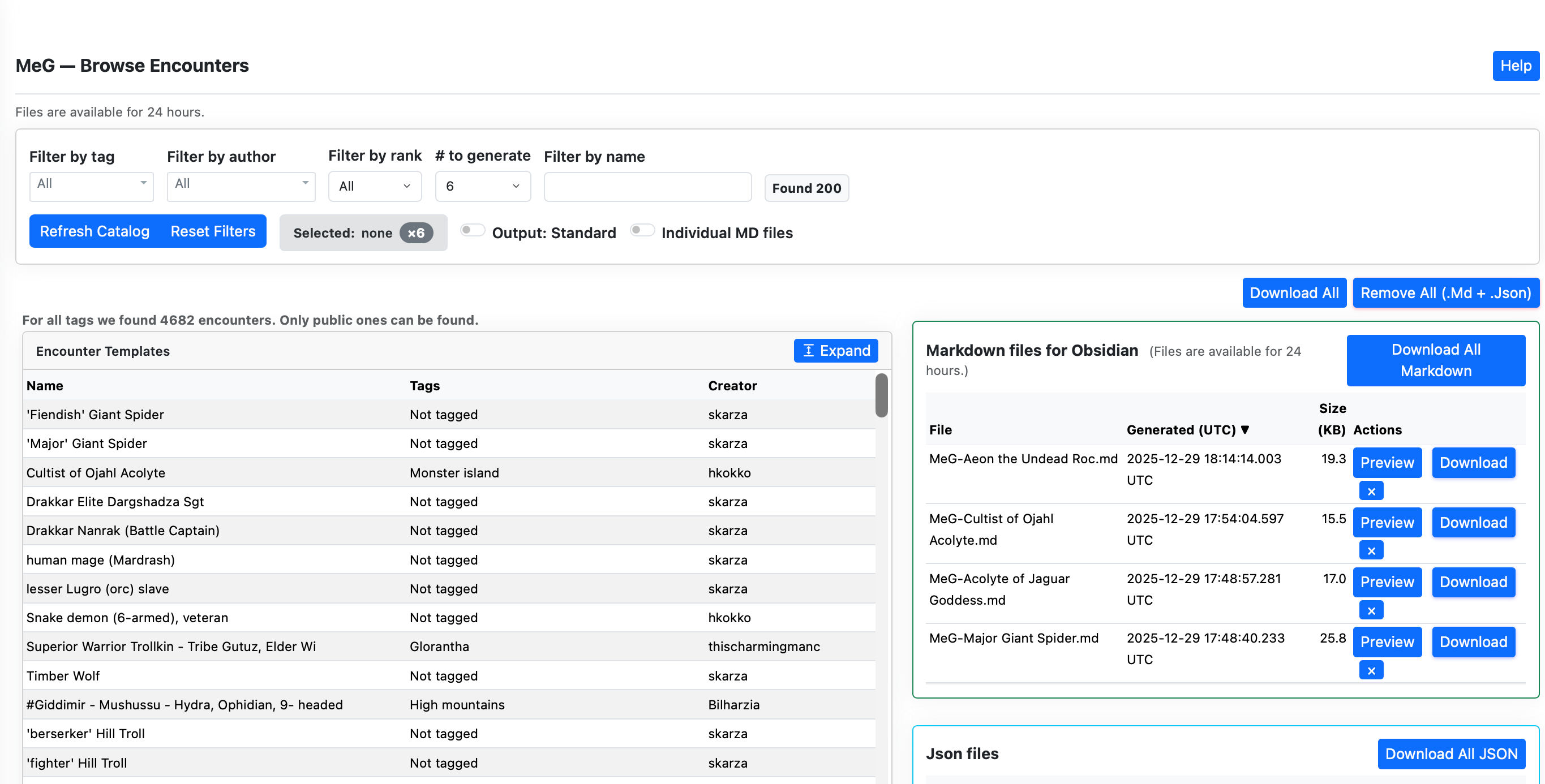
Random Encounters. You can now trigger random encounter generation directly from the MeG library interface – select your tags for example Tag “All” Author All Rank All and filter by name: “Troll” and search by words “chaos”. Then in the generation settings the count of how many to create for each encounter 2 and how many random encounters you will get 3.
Press Create Random button
Robust Session Files. Refactored session file management with better clock-skew detection and more reliable cleanup of expired files.
Impact: Better offline access via PDFs, faster rule lookups during combat, and a cleaner, more intuitive interface for managing encounters.
Poltergeist is a spirit that is angry at something and reflects it with its actions – throwing things at targets. Escalation of its attacks could be: -> Pebbles and dust first -> Pots and tools flying ->Bricks and stones -> Furniture moving -> Entire rooms becoming hazardous Here some examples A storm of small stones flies around, knife or tool whips across the room, Pottery explodes against the wall, Heavy rock or brick launched, Furniture slides violently
The Borrowed Mask of Qadish is a subtle parasitic spirit that slips unseen into living hosts, hiding behind their eyes while leaving no trace to magic or sense. It bends perception with delicate illusions, nudging allies toward doubt, error, and quiet betrayal rather than open violence. In the crowded streets and shadowed courts of a big city, it thrives on misjudgment, turning small mistakes into cascading disasters. Those touched by it seem almost themselves, save for a faint hesitation, as if something else briefly considers each word before it is spoken. The spirit uses Covert to remain completely undetectable to magical and spiritual observation. It uses Puppeteer to take control of an innocent bystander or even one of the player characters. While hidden within its host, it projects mental illusions using Glamour to distract, disorient, or trick the party into attacking the wrong targets
The Fetish-Eater of the Hollow Gourd is a predatory spirit that feeds not on flesh, but on the bound spirits of animists, following the invisible cords that tie charm to soul. It drives lesser spirits into frenzied servitude, overwhelming its prey before turning on weakened bindings to consume them and restore its own power. Where it feeds, fetishes grow cold and silent, their once-living presence reduced to empty husks. In Hombori Tondo, its passing leaves behind a quiet dread, as if the unseen world itself has been thinned and something vital has been taken.
Agony Neverending is a relentless torment-spirit that binds itself to unresolved suffering, returning again and again to collect what it believes is owed. It can tear a victim’s spirit partly from their body, forcing them to endure pain that seeps into both flesh and soul, turning even simple actions into trials of will. Its Wither gnaws directly through the body as if reopening an ancient wound, while its presence feels like an unseen ledger quietly counting each moment of agony. Though it can be driven off, it always returns, drawn back by the same unresolved debt until it is finally settled or bound. • Marks a victim first: It fixates on one target tied to its “debt” and stalks them across scenes rather than attacking randomly. • Opens with Discorporate: Attempts to drag the victim into spirit combat, isolating them from allies and forcing a Willpower contest on its terms. • Applies Pain early: Cripples the target’s effectiveness so most actions fail unless they rely on strong Willpower. • Uses Wither opportunistically: While the victim struggles, it inflicts unavoidable physical damage to wear them down steadily. • Avoids fair fights: Targets the weakest Willpower, withdraws if pressured, and returns later rather than risking destruction. • Learns between encounters: On each return, it adapts to the party’s tactics, focusing on prior vulnerabilities.
The Whisper of the False Hand is a subtle and insidious spirit that nests within trust itself, slipping unnoticed into companions, retainers, or even the party, where it slowly unravels certainty and skill. It feeds on hesitation and error, laying a creeping curse that dulls reflexes, weakens strikes, and erodes the victim’s effectiveness day by day without revealing its presence. Hidden by perfect Covert, it cannot be sensed or revealed by ordinary magical means, leaving only a trail of small but troubling failures—missed steps, misjudged blows, and decisions that feel wrong only after they are made. Under pressure, it tightens its grip, flooding the victim with a sudden surge of Confusion that twists intent at the worst possible moment, turning allies into targets or causing vital actions to falter. It does not seek destruction directly, but engineers it through mistake, mistrust, and timing, ensuring that when harm comes, it appears to be the fault of those involved. Friendships fracture, commands fail, and suspicion spreads long before anyone suspects a spirit at work. In the crowded intrigue of Hombori Tondo—among guild rivalries, court politics, and fragile alliances—it is especially feared, for it turns loyalty into liability and leaves behind a single, devastating question: was it truly the spirit… or did you choose wrong? The spirit uses Curse to lower a victim’s key stats, such as reducing their Action Points, Damage Modifier, or a specific Combat Style. Combined with Covert, the spirit can perfectly hide from active magical or spiritual observation by opposing the observer’s Perception. Adding the Passion: Confusion causes the victim to do the exact incorrect thing during times of stress, such as striking the wrong target in combat or casting the wrong spell.
While traveling through a harsh wilderness or desert, the party is stalked by a spirit that curses their Endurance or Survival skills. It uses Glamour to project hallucinatory illusions of an oasis or a rescue party, intentionally misdirecting the hosts further into the wilderness. As they wander, the spirit uses Drain to sap their Fatigue, slowly bleeding them of their life essence while keeping itself fully empowered for Spirit Combat
The Curse of the Dunes is a vast curse-spirit that reshapes ruined desert sites into a shifting labyrinth of sand and broken stone, where every path betrays those who follow it. A suffocating aura of dread hangs over its domain, driving the weak to flee and sapping the resolve of those who remain. Within its grasp, unseen curses erode strength and fortune, leaving victims slower to heal and more prone to fatal mistakes. It does not hunt directly, but traps and exhausts its prey, until they realize too late that there is no path out—only the illusion of one. Curse spirit that affects Luck points when possessing.
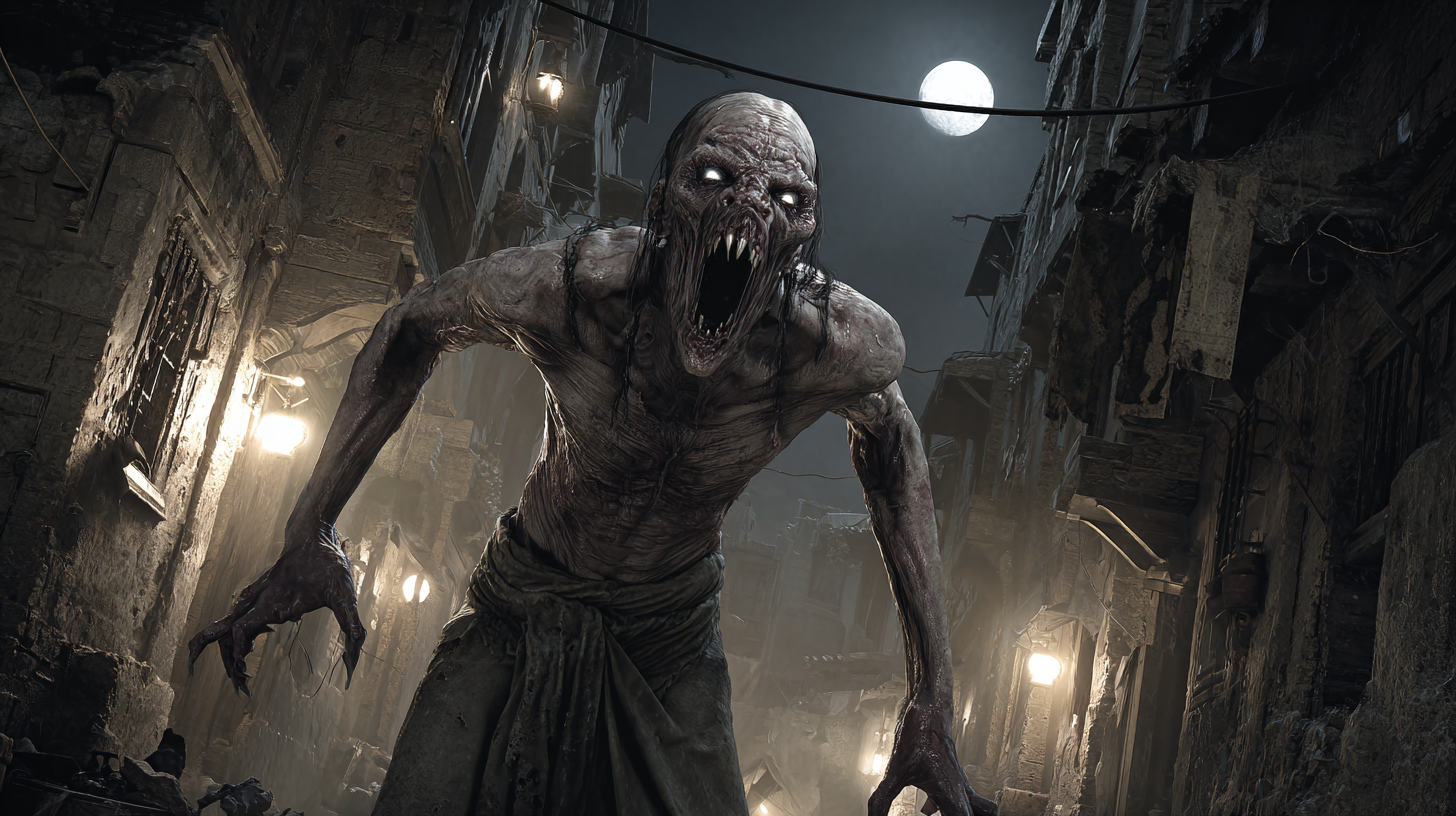
Fonritan slave soldier zombie possessed by large undeath spirit of intensity 3. Possession gives 3 points of Warding ability against spells and 9 to strength and con
Deceit induces the host to lie, cheat, and steal no matter the consequences, though they will try to conceal this subterfuge. Madness forces the host into irrational or gibbering behavior during times of stress, changing their perceptions or instilling paranoia. May rationalize its deceit due to its madness spirit type. For example hydrophobic would do its treachery to avoid getting near water.
Mnemonic Parasite – Deceit Spirit (Medium and Large)
While in control, it performs a single, carefully chosen deceit each week—preferably one that ripples outward into maximum disruption—then withdraws, feeding on the confusion and consequences echoing in the host’s mind. The host retains no memory of the act and instinctively fills the void with invented explanations, growing increasingly certain of things that never happened. Over time, these false recollections tangle with reality, creating contradictions, misplaced blame, and quiet paranoia. The spirit remains perfectly Covert, leaving no trace unless actively sought and successfully opposed against its stealth.
The Blue Ghosts are formidable spectral entities that act as a test of strength and a gateway for those seeking the Isle of Artmal If the person loses the spirit combat with them he is cursed by losing permanently some of his might – Curse of Blue Ghost
Virtue Eater is a covert possessing spirit that seeks hosts with strong convictions, twisting their noblest Passions into destructive compulsions while clouding judgment with subtle confusion. It feeds by driving the host to make morally “justified” but disastrous choices, especially under pressure, leaving behind regret, contradictions, and carefully invented memories to mask the truth. In play, it rarely acts openly; instead it steers conversations, decisions, and loyalties so that the host undermines allies, escalates conflicts, or sabotages their own goals while believing they are acting rightly. Tactics: it targets high-stakes moments (negotiations, accusations, crises), amplifies a single Passion into absolutism, induces Confusion to force the worst possible choice, and then retreats into cover, letting consequences unfold while it feeds on the fallout.
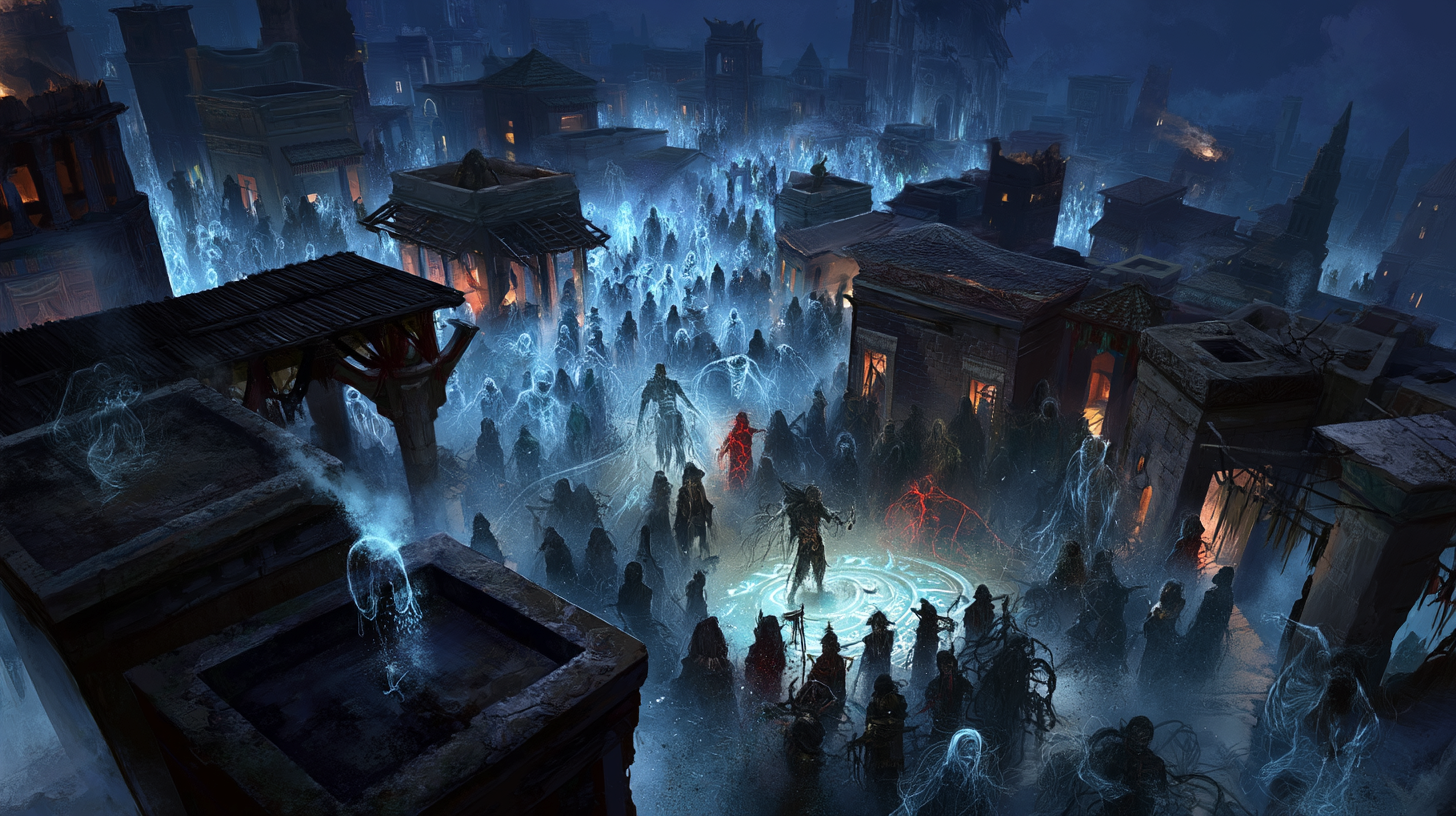
In a Bronze Age city —where massive mud-brick structures, subterranean vaults, and heavy stone columns dominate the skyline—a spirit capable of devouring architecture is a weapon of mass destruction. Often whispered to be a corrupted earth elemental or a minor manifestation tied to the Dark Cults (who seeks to erode civilization from within), this entity is highly prized by the city’s more cutthroat factions. The Mechanics: Animate (Mud-Brick/Stone): The spirit uses the Animate (Substance) ability to seep into the mortar, load-bearing wooden pillars, and bronze reinforcements of citys buildings. Curse (Structural Decay): Rather than cursing a living victim, the spirit’s Curse ability is directed at the inanimate structure. It drastically lowers the Armour Points (AP) and Hit Points (HP) by the intensity of the spirit of the building materials, causing ancient stone to turn to brittle sand, wood to instantly dry-rot, and bronze to rapidly oxidize. Steadfast: The spirit has been bound using complex sorcerous wards or an Enchant (Binding) matrix created by a master occultist. This makes it Steadfast—completely immune to standard Exorcism or Dismiss Elemental miracles. It can only be removed by destroying its physical fetish (often a cursed foundation brick planted on-site) or by reducing its Magic Points to zero in brutal, close-quarters Spirit Combat.
The VerminLord In the squalid, maze-like depths of the sprawling slum—the Vermin Demagogue is whispered to be a corrupted nature spirit of the city’s ancient sewers, or perhaps a minor manifestation sent by the Dark Cult to erode the city’s civilization from within. It feeds on the misery of the city’s lowest castes. The Mechanics Domination (Vermin): The spirit possesses the Domination (Specific Species) ability. In the city, it uses this to telepathically command the swarms of giant and diseased rats that infest the city’s subterranean underbelly. Passion (Hate): The spirit covertly possesses a host and weaponizes the Passion (Hate) ability. It broadcasts a supernatural fury that amplifies the simmering resentments of the oppressed kadam (slaves) and the disenfranchised Blue Folk. Anyone failing a Willpower resistance roll is overwhelmed by a temporary, murderous Hate ( Nobility) Passion, driving them to uncharacteristic violence against the ruling elite. Miasma: The spirit projects a Miasma of supernatural dread in a radius around its host. Anyone caught in this aura—including battle-hardened mercenaries or city guards—must succeed in an opposed Willpower roll or break ranks and flee in abject terror.
You will se an example of each with Nuanced and More Advanced Spirits You will find many other spirits in MeG by searching with tag Spirit or by searching for spirits.
In the following posts there will be more spirits with different attributes
In the Signs and Portents magazine there was published quite a few spirits. Here are few of them created in the form for Mythras. For full information for each of the spirits go to the original magazine.
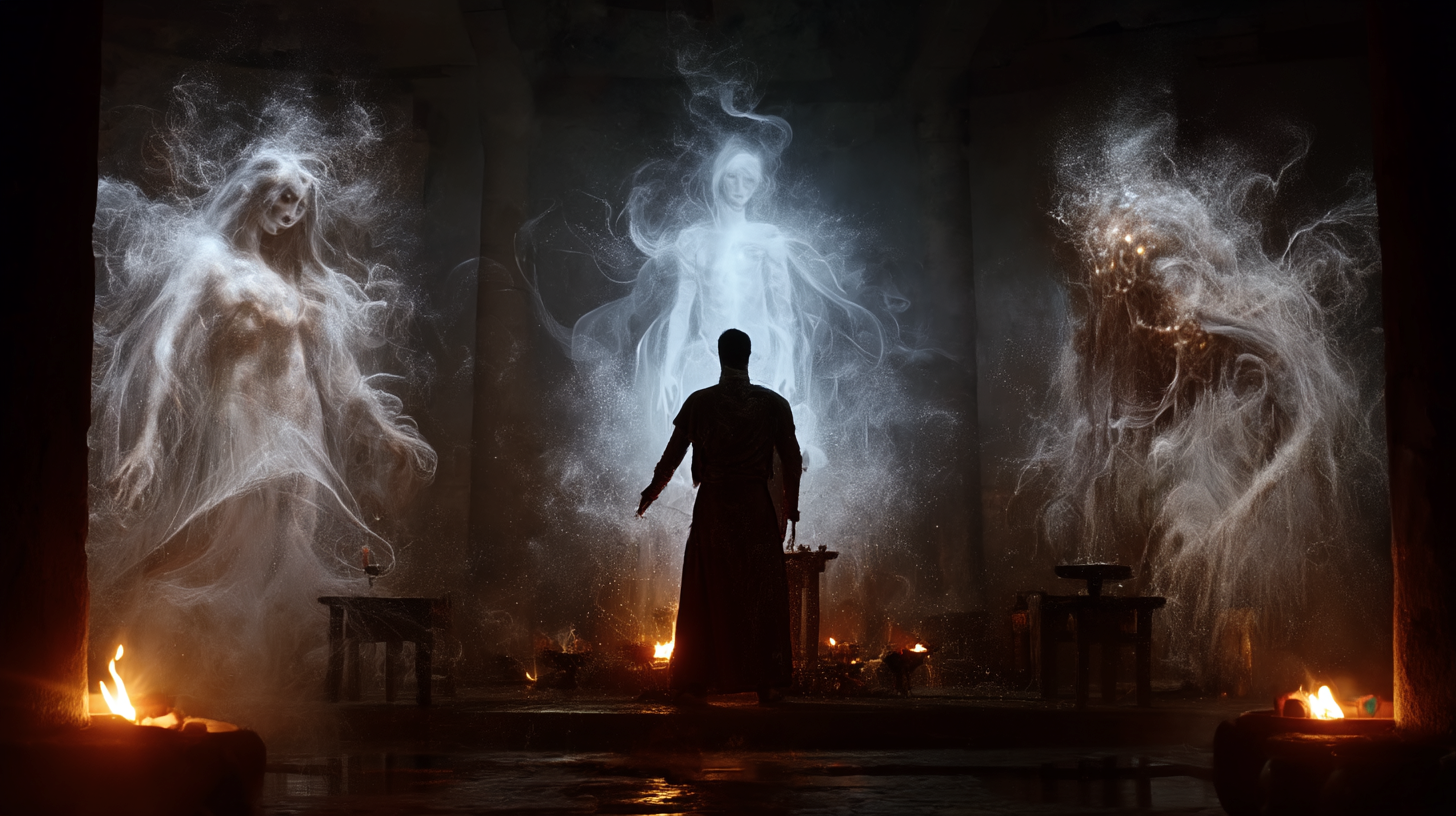
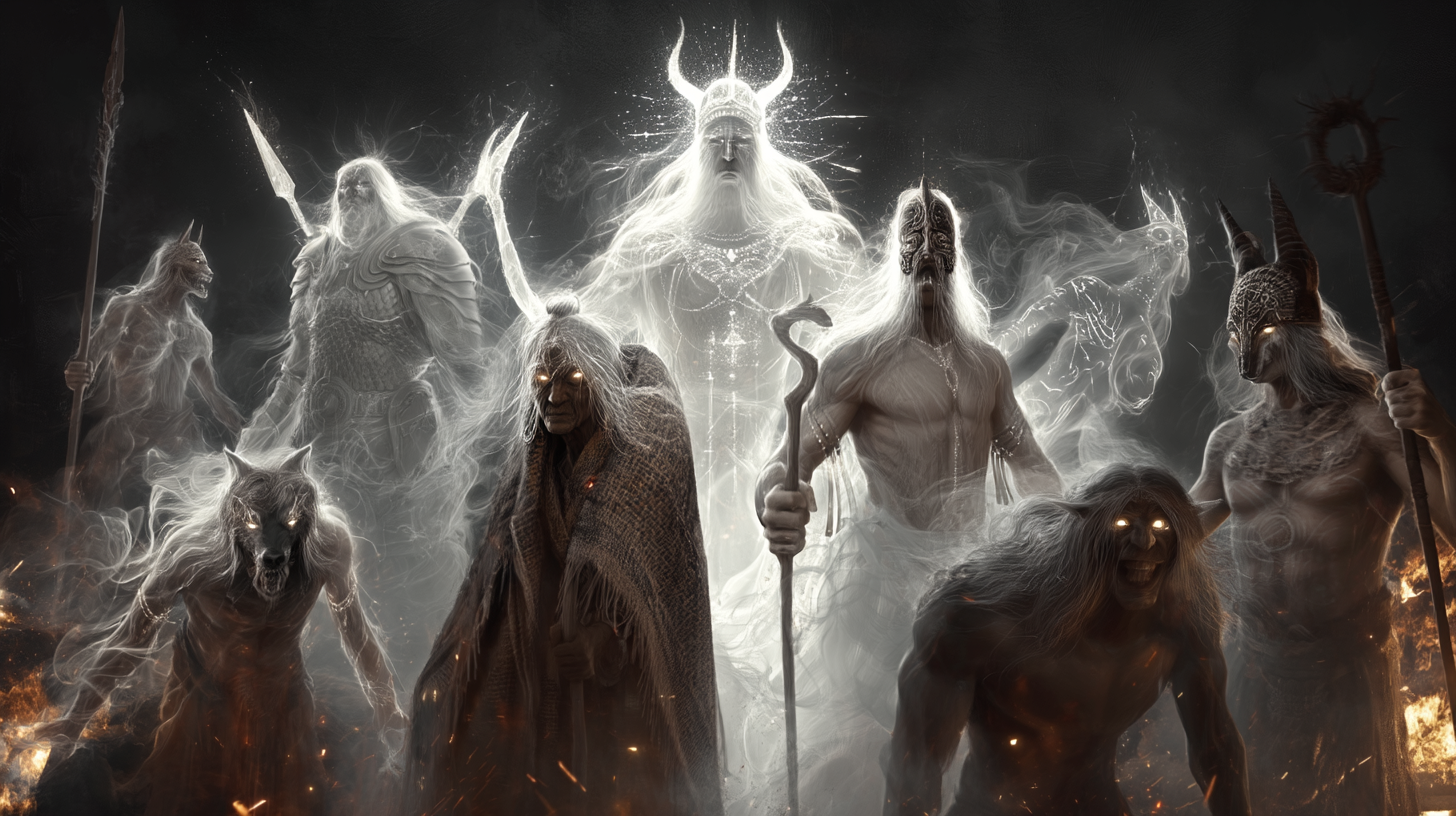
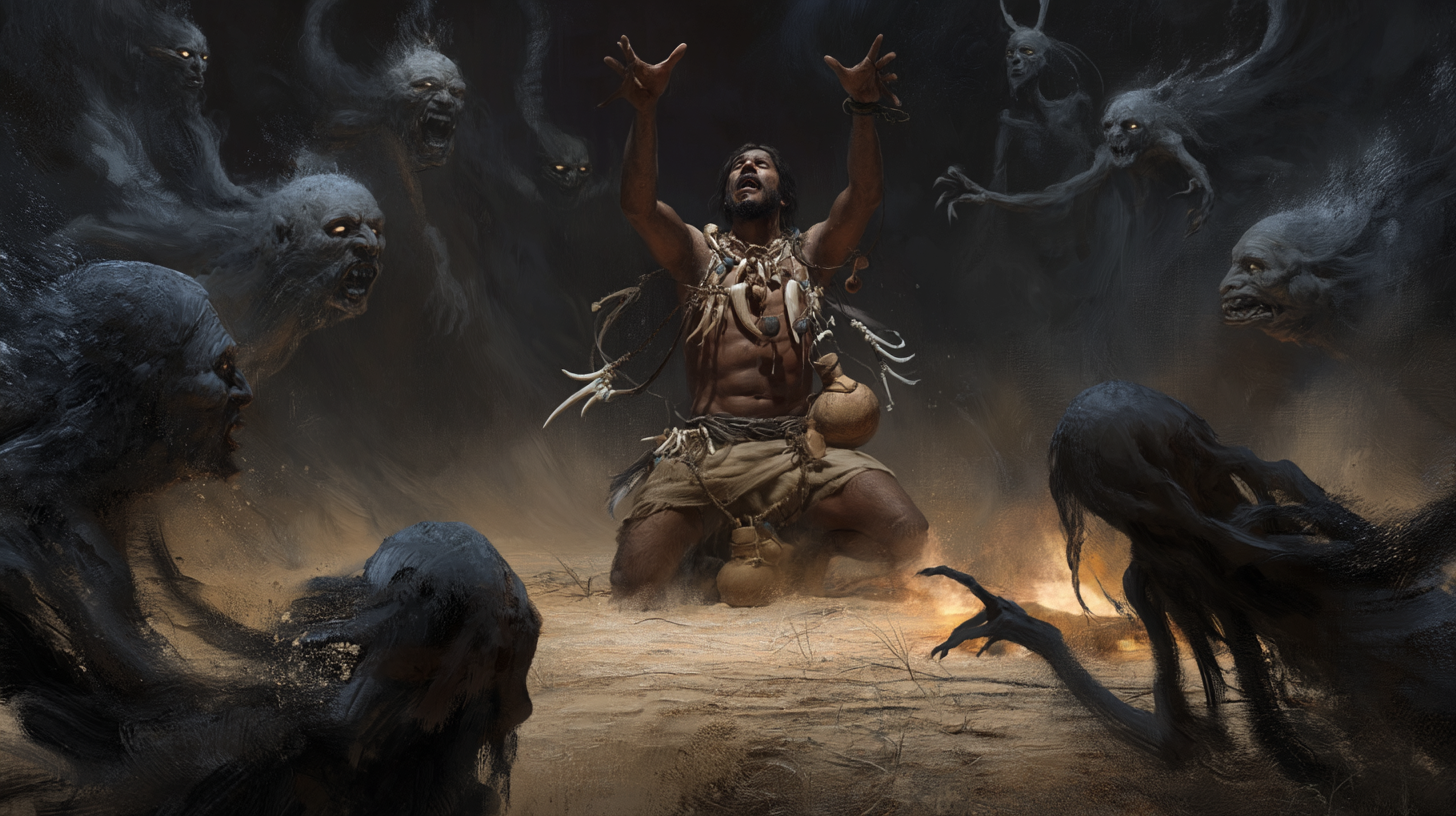
I decided to visit the Spirit Plane and summon some spirits that are existing in RAW plane that have been missing. Hope that you find them useful – many spirits are fiendish complications or opponents on the heroes road.
Opposed: higher Success Level wins | tie → higher roll | both fail → GM | >100% subtract excess
Differential (for example combat): Both roll; compare Levels of Success (Crit > Success > Fail > Fumble); higher level gains advantage equal to the difference, ties give none.
Luck (1/action): re-roll, extra AP, reduce Major Wound, swap digits, last act
Passions: 1–100 | +20% | roll to compel | oppose each other | resist mental/magic control
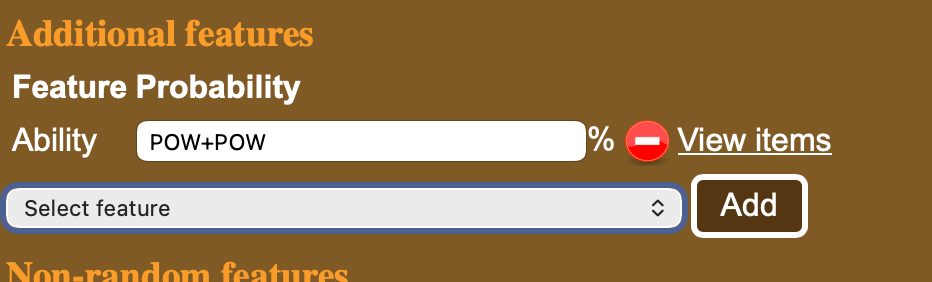
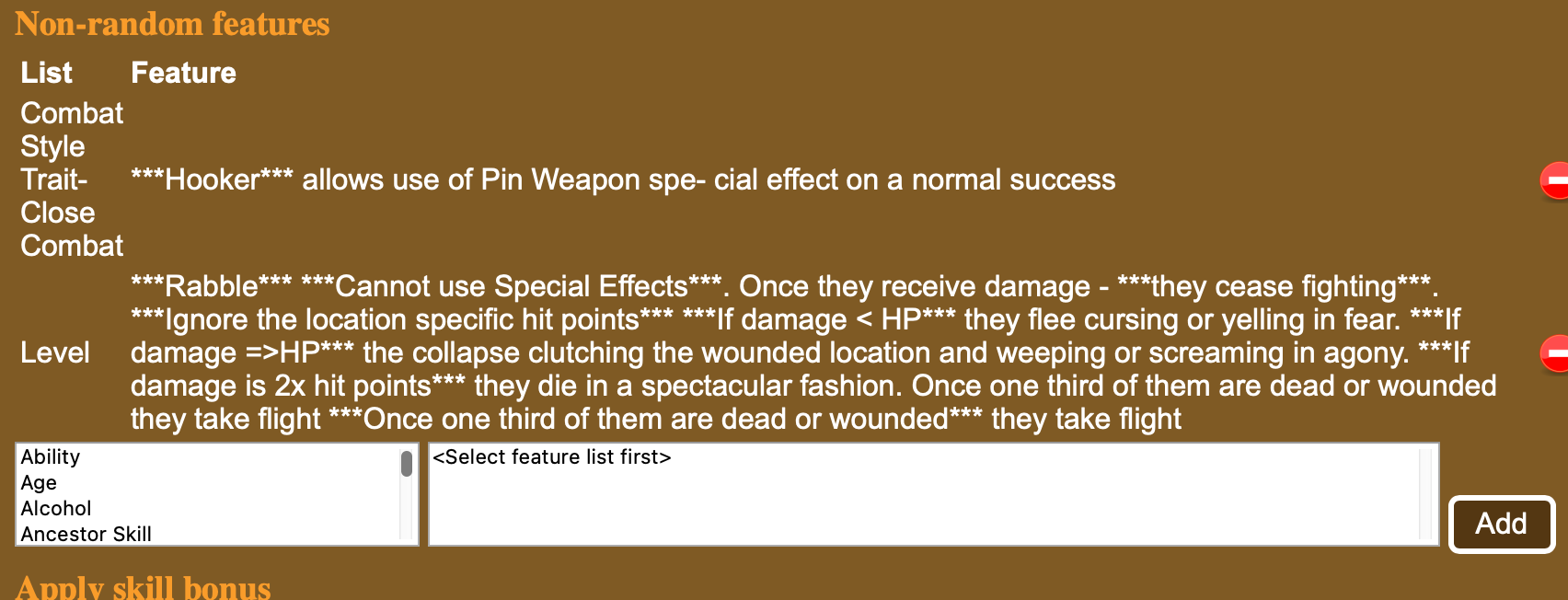
When creating new opponents and creatures in MeG one can add either a fixed or a random feature for the creature.
Here we could add random ability that is POW+POW likely to appear for the creature from the ability feature list.
Here is a way to add specific feature. From Combat Style Trait-Close Combat feature list the Hooker is chosen as well as from Level list the Rab´ble is chosen. You could add several from the ability list by clicking on the ability and selecting the one you want and add it with the button
You can view the other possible items in the list with view items above or selecting the left hand side list (for example Ability) and scrolling down.
Here are some newly added ones.
Creature abilities
There are now more than 150 Creature abilities you can add to the creatures in MeG. Check the Features – Abilities.
The following ones come from Thennla supplements (Khakun Shrugs, Sorandib and others) .
Aura of Dread Upon first sight of him, onlookers must make an unopposed Willpower roll. On a failure, the character cannot act for one round. On a success, the character may act, but all rolls are one difficulty grade harder for one round. With a critical success, the character may act normally. With a fumble, the character may not act for 1d4+1 rounds.
Bloodless Does not bleed when cut and is immune to the Bleed Combat Manoeuvre.
Fluid Motion Ignores SIZ restrictions for abilities like Engulfing; moves fast in non-solid material
Horrifying Dreams This effect costs 1 MP to invoke. Unless the targeted character succeeds in an opposed Willpower roll he will suffer 1 point of damage to the head per round until he makes an unopposed Willpower check or 6 rounds pass.
Immune to Bleed
Immune to Stun Location
Psychic Attack 1d8 Damage to Magic Points. Does not cost Magic Points to use
Sonic Scream The scream covers a cone CON in metres. width of the cone is one quarter of the CON. Any in the cone suffers sound-based damage to all hit locations, Evade halves. A creature can only scream once in a specified time period (usually once per hour or once per day). Further attempts to scream within this time require the creature to pass Endurance rolls with each roll becoming one grade harder, or suffer a level of Fatigue. It inflicts damage equal to its Damage Modifier, even to solid objects made from ceramics and obsidian.
Spirit Abilities
There are now 48 Spirit abilities you can add to the spirits – check Features > Spirit Abilities. Following are the newly added.
Craving
The spirit can turns its victim’s darkest Passion into a Compulsion (p. 91). If the victim has no darker Passions, the spirit latches into the noblest Passion and corrupts it into an extreme form – turning Love (Childhood Sweetheart), for instance, into a Compulsion where the victim becomes excessively clingy and cloying, or domineering and controlling.
Source: Fioracitta
Drain
The spirit can drain its victim of some of their life essence, effectively inflicting a level of Fatigue as if they were suffering from blood loss (Mythras Core Rulebook, p. 71). This Fatigue is recovered at a rate of one level per day of complete rest. The spirit gains 1d2 Magic Points from this drain. The target resists with Endurance.
Source: Fioracitta
Weave
(similar to Demesne but the Weave distorts the spiritual and physical world within its area of effect and allows its other abilities to affect corporeal beings and spirits). Domination (creatures with INS or plants within its Weave, or people it has overcome in Spirit Combat and corrupted). Discorporate (only sleeping sapient creatures within the demesne of its Weave).
Source: Bird in Hand
Corrupt
(inflicts mutagenic features as a consequence of defeating them in Spirit Combat, randomly generate feature from Mythras page 275¸ it may also Dominate defeated victims).
Source: Bird in Hand
Endowment
Grant creature abilities (e.g., Flight, Venom) to the binder
Source: AiG
Grind
Dust Elemental or Spirit – Grind opponents with larger pieces of stone and grit whirling within its form, using its Damage Modifier to inflict wounds.
Source: Sorandib
Neutralise
Neutralise any power or condition rune. Allows spirit to counteract the magic or supernatural ability of an attacking creature or spirit tied to specified power or rune, providing the POW of spirit is greater than that of attacker
Source: AiG
Pain
Inflicts a possessed victim with grinding aches in their body which flare into shooting pain when he or she moves quickly or tries to concentrate. Any skill roll by the host must be equal or below Willpower else it fails due to distraction
Source: AiG
Smother
Dust Elemental or Spirit – It may attack any target within its volume with a Smother attack at a cost of 1 AP, and maintain the effect against several targets simultaneously at a cost of 1 AP per target per round. Victims must each spend 1 AP per round to defend against the attack.
Source: Sorandib
Steadfast
The spirit gains immunity to dismissal of any form. This does not mean it is immune to magical damage or spirit combat only that spells such as Banish or Exorcism do not affect it
December has been a busy month behind the GM screen. Since December 2nd, ToolsFromPavis has picked up a bundle of improvements aimed.
⚡ MeG Encounter Library: Fast Enough to Disappear
The Encounter Library has had a serious performance tune-up.
Infinite Scroll & Paging Browsing large encounter catalogs no longer drags your browser into the mud. Encounters now load in fast 200-row batches with HTMX-powered infinite scroll, keeping everything responsive even with thousands of entries.
Source Transparency You can now see exactly where your data comes from, live database or validated cache, plus how fresh it is. Live “Read X minutes ago” timestamps make it obvious what you’re looking at.
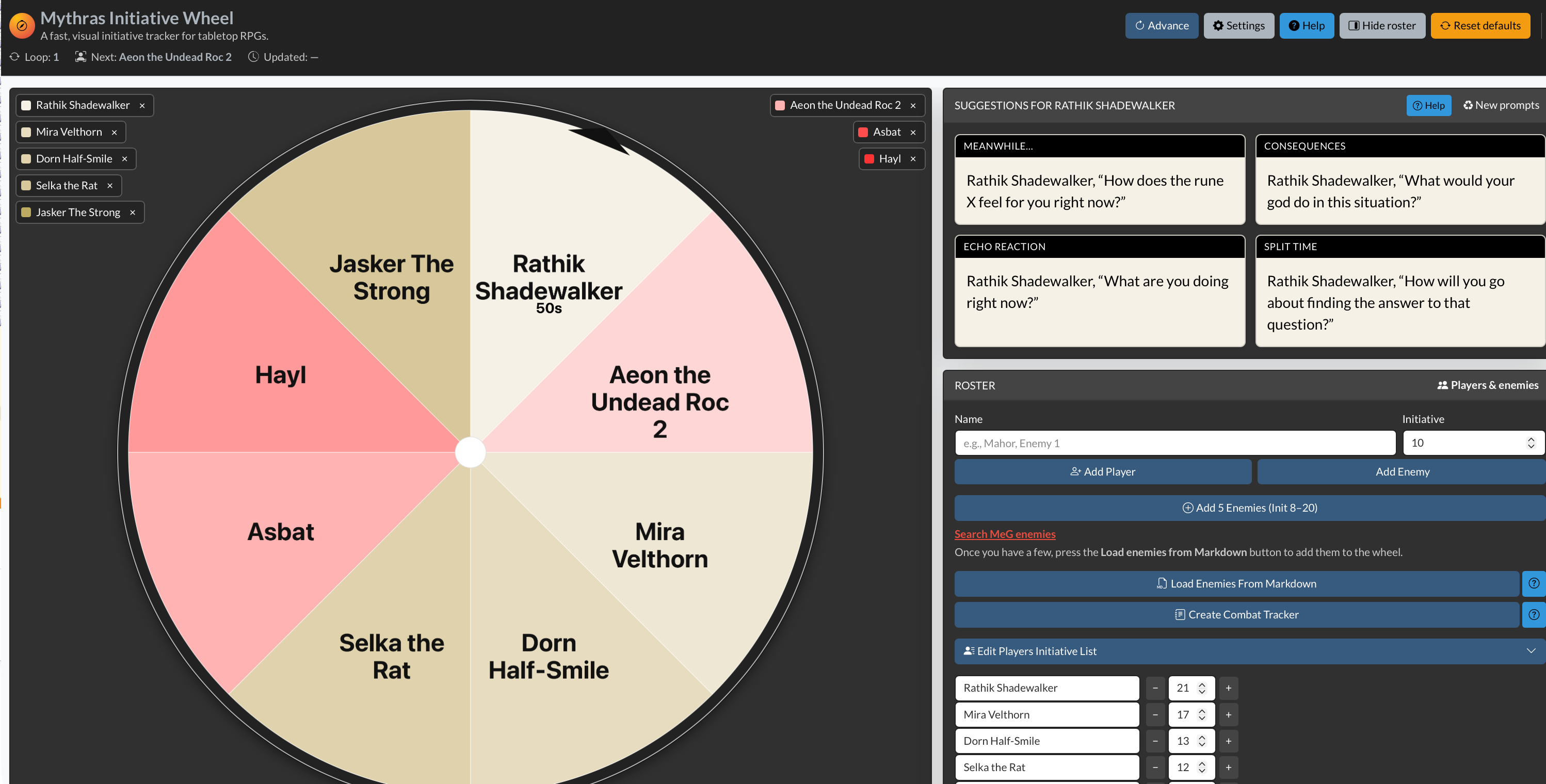
One-Click Combat Tracker A new “Combat Tracker from Initiative” button in Initiative Wheel page lets you turn your current Initiative Wheel state directly into a markdown Combat Tracker session ready to add to your Obsidian . This is just first version
Clearer Initiative Flow Small visual improvements help follow the initiative. Pulsing turn indicators and clearer font sizing make it obvious whose turn it is, even in busy encounters.
📝 Obsidian Statblocks & Content Tools
Exports are now cleaner, richer, and better aligned with Mythras rules.
Customizable Links Choose between visible links for navigation-heavy notes or plain text for clean reading and printing.
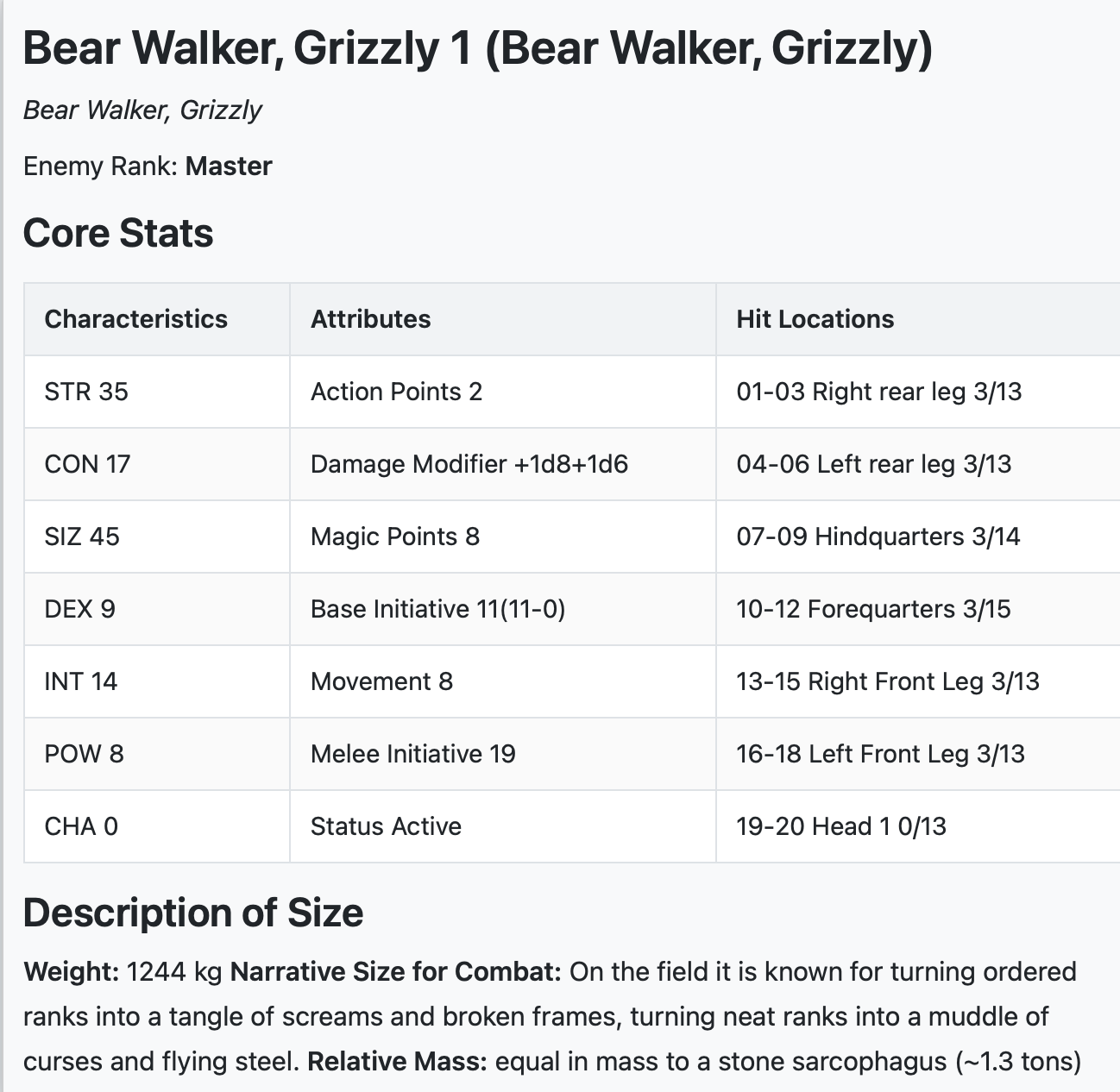
Improved Size & Build Descriptions Creature exports now use proper Mythras SIZ bands with narrative size descriptions. Humanoids also receive body-build descriptors plus randomized height and weight from Mythras RAW.
Smarter Naming Logic Exported filenames are cleaner and more predictable. Character Sheets, for example, now automatically gain a “-CS” suffix, making Obsidian folder hygiene much easier to maintain.
Statblock API Throttling The API now includes rate limiting to keep everything stable and responsive, even under heavy use.
Improved Error Integrity and lots more tests.
🎨 UI, UX, and Mobile Polish
Small refinements that add up at the table.
Unified Help HubAll tools now link into a single, theme-aware help system that respects your Light or Dark mode choice.
Mobile Tweaks Menus, spacing, and tooltips have been tightened up so the MeG Encounter Library and Initiative Wheel behave properly on phones and tablets, whether you’re GMing from a laptop or a side table.
Firefox tuning. Small tuning for Firefox browser
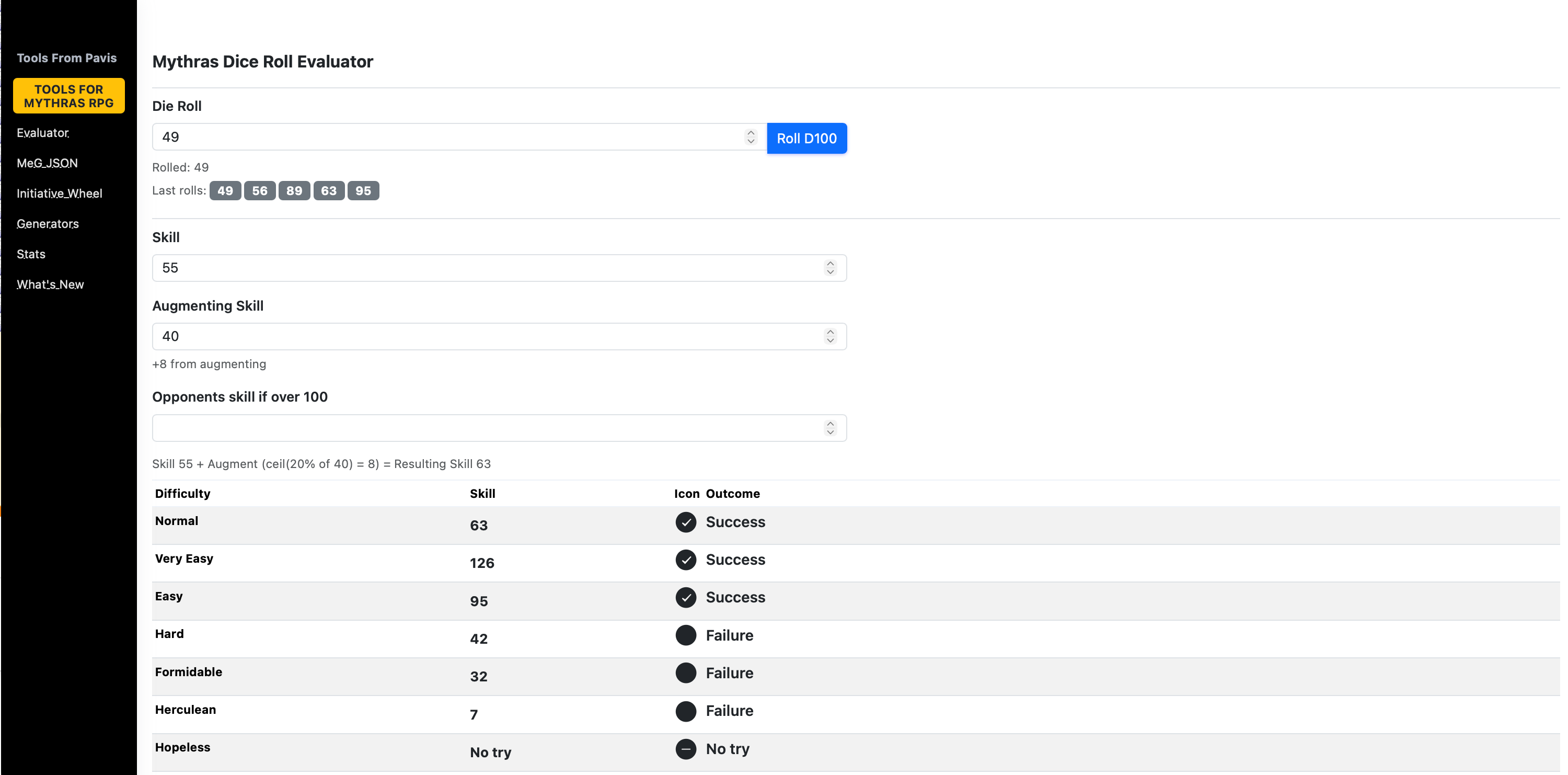
Dice roller updates – shows 5 last rolls. Some tuning of the UI.
As always, thank you for using ToolsFromPavis and for the steady stream of feedback, bug reports, and playtest abuse. The tools keep evolving because real GMs keep pushing them in real sessions.
This update continues the steady work of tightening Markdown output, improving reliability, and adding options that help GMs shape content to their preferred table format. All changes come directly from practical use of the MeG data pipeline and repeated testing in Obsidian.
At a glance
New Character Sheet output mode for Mythras statblocks generated from MeG data.
Markdown link rendering options: choose visible Markdown links or plain text.
Clearer filenames for Character Sheet exports (“CS” added automatically).
Formatting fixes across multiple generators for cleaner and more consistent output.
Markdown correctness fixes, especially in AP/HP sections.
Performance and reliability improvements in Markdown generation and preview.
Character Sheet mode (Obsidian Markdown / Preview)
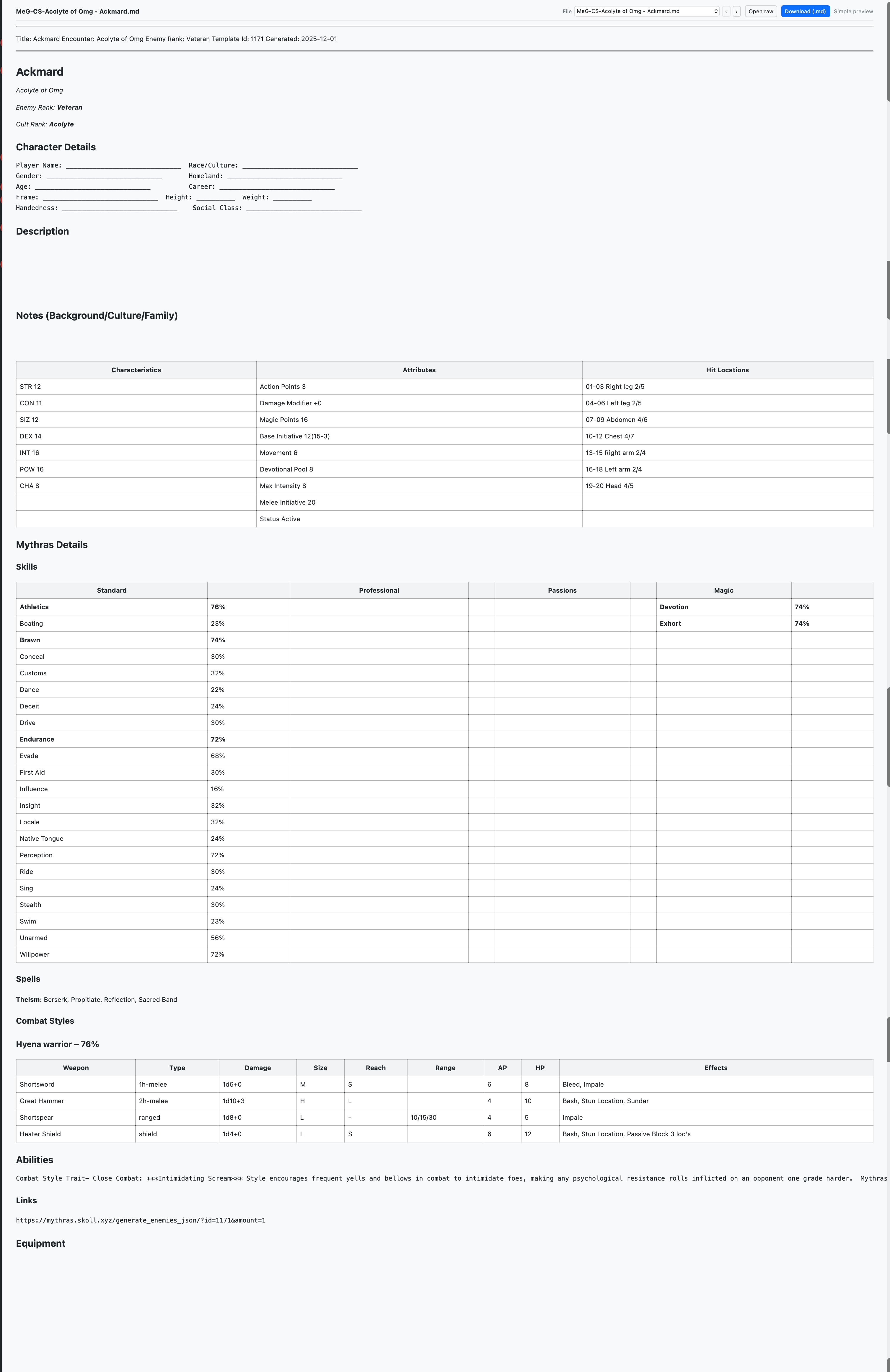
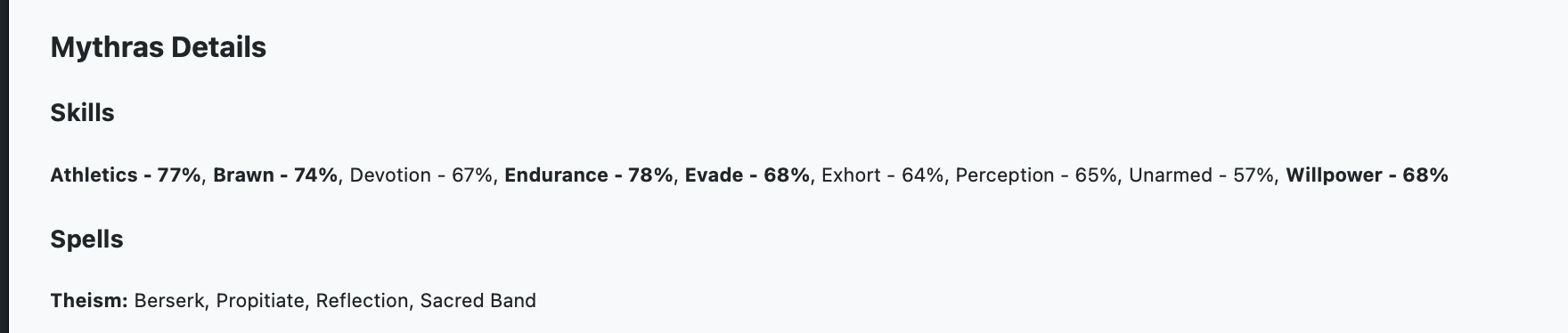
When exporting MeG encounters to Markdown, you can now choose between the standard statblock format or a Character Sheet layout.
Standard Enemy Markdown
The Character Sheet option reorganizes the material to follow structure of a Mythras character sheet, which could help to create pregens for an adventure – try for example tag Core Codex or Pregen
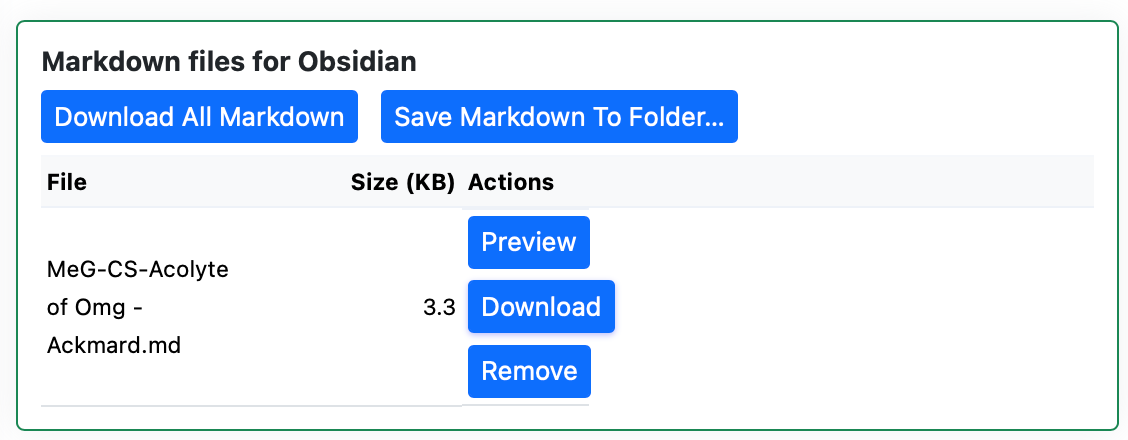
Character Sheet exports automatically add “CS” to filenames so they stand out in your session files and downloads.
Link rendering options (Markdown)
A new toggle allows you to decide how links should appear in generated Markdown:
Visible links retain normal Markdown link markup.
Plain text removes link formatting for those who prefer simpler reading or cleaner printing in Obsidian.
Generator formatting
Several generators received formatting adjustments to keep headings, spacing, and lists consistent across outputs.
These changes aim to produce more predictable Markdown, especially when combining content from different generator types.
Markdown correctness fixes
AP/HP sections now render with the correct labels and layout, avoiding previous alignment issues.
Additional small corrections address bullet spacing, code block boundaries, and section ordering in a few edge cases.
Performance & reliability
Markdown generation and preview now complete more quickly, especially for large MeG encounter sets.
Stability has been improved for longer sessions and heavier loads, reducing slowdowns during repeat exports.
Getting started
In the MeG Encounter Library, generate any encounter as usual.
Choose Markdown export.
Pick your preferred layout: Standard or Character Sheet.
Select your link style: Visible or Plain text.
Download or preview. Character Sheet files will include “CS” in the name for easier sorting.
If you notice anything unexpected in this update window, feel free to report it and it will be reviewed.



 Notes From Pavis