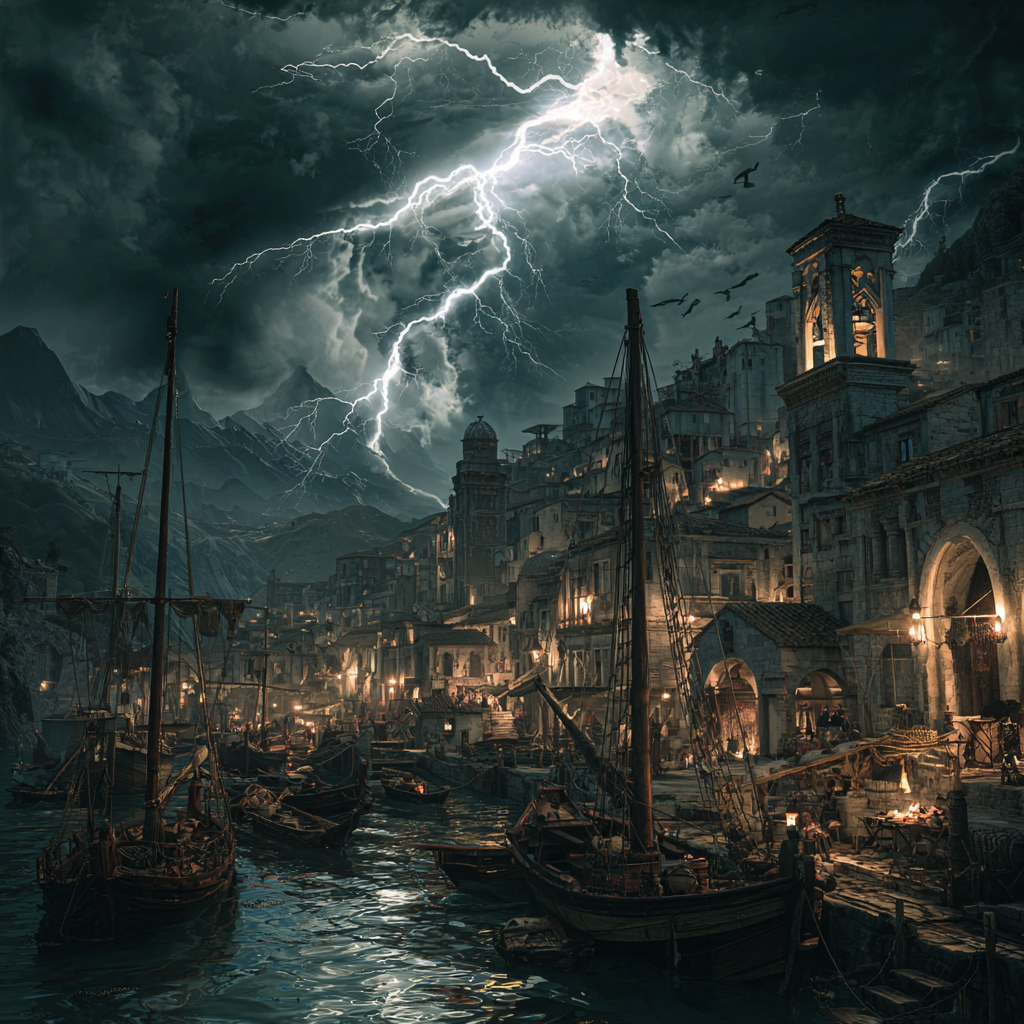
The example file and fields updated
I created for my campaign a weather system using various tools. Here is a one year example for an area in Fonrit. This tries to take into account all things from Guide to Glorantha, Tradetalk articles and Men of the Sea among other things. This would fit also sword and sorcery campaign in a coastal area where there are hurricanes and typhoons or similar.
Here is a screenshot of part of the file
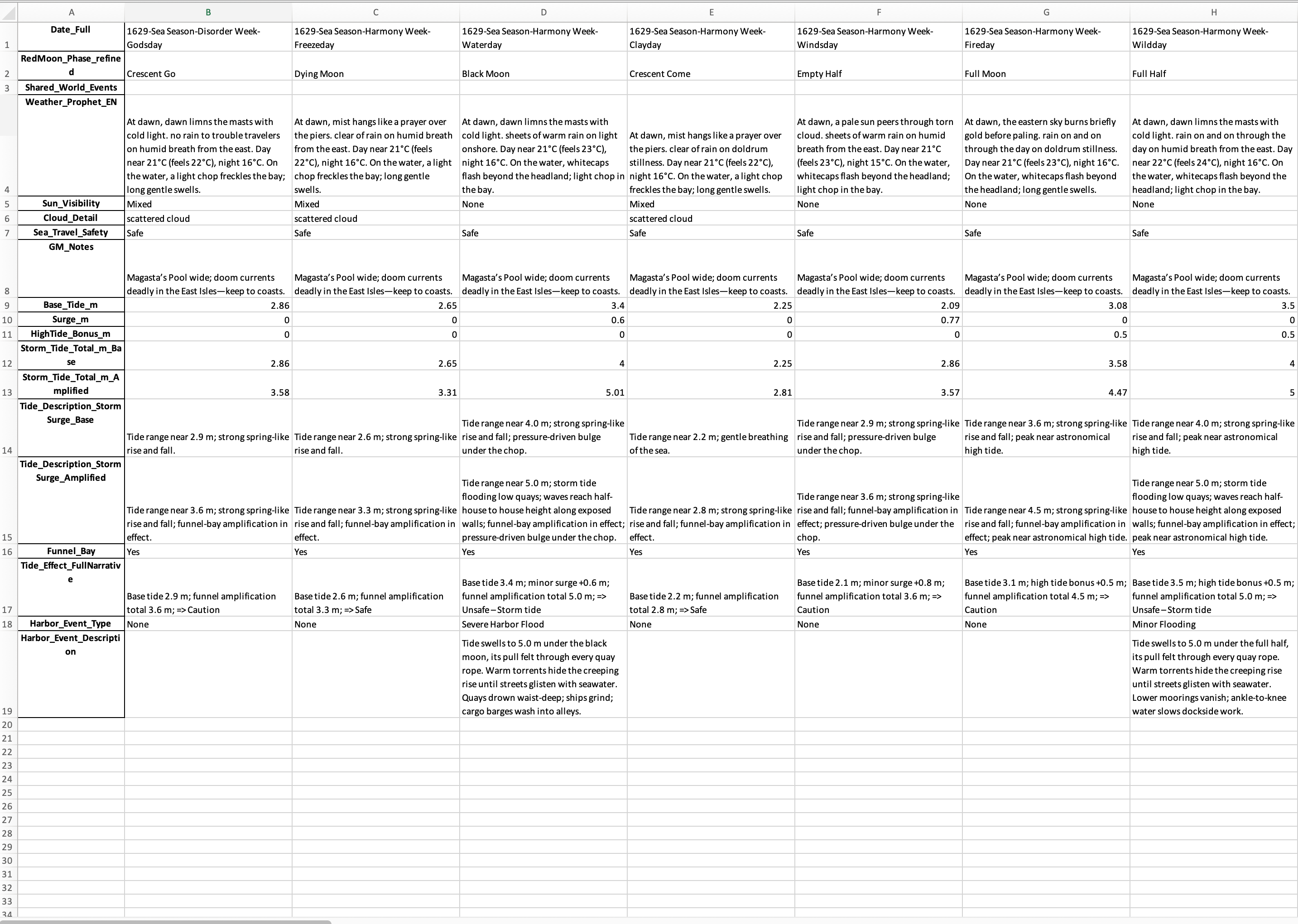
One example year is attached here
Here’s a field-by-field explanation of your weather/tides/events Excel structure, written with Gloranthan and sword-and-sorcery campaign use in mind.
📅 Date and Calendar Fields
- Date_FullThe complete campaign calendar date in format Year–(Season Number Season Name)–Week Number–Day Number (e.g. 1628-(5 Storm)-8-2).👉 Serves as the master key to align with other calendars (weather, adventures, PC downtime).
- SeasonThe Gloranthan season (Sea, Fire, Earth, Dark, Storm, Sacred Time).
- Week_NameThe in-world cultural name of the week (e.g. Fertility Week, Disorder Week). Sacred Time has its own distinct week names.
- Day_NameThe day of the Gloranthan week (Freezeday, Waterday, Clayday, Windsday, Fireday, Wildday, Godsday).
- RedMoonThe current phase of the Red Moon as seen in Fonrit (crescent, half, gibbous, full, dark). Used both for atmosphere and to signal cult power levels.
🌤 Weather and Prophecy
- Weather_Prophet_ENSword-and-sorcery style daily weather report, written as if spoken by an in-world character. Includes morning look, sun, clouds, winds, rain/storms, sea conditions, and temperature.
- Prophet_VoiceThe speaker persona for the prophecy (Experienced Sailor, Harbor Master, City Sage, Merchant Prince, Scout, Captain of the Guard, Tavern Keep, Overheard Beggar, Working Man). This dictates tone and style of the prophecy.
- Sun_VisibilityNotes whether the sun is clear, hazy, partly hidden, or obscured.
- Cloud_DetailAdds descriptive granularity: wisps, stormfronts, thunderheads, fogbanks, etc.
- Sea_Travel_SafetyMarked as Safe, Caution, Unsafe. Accounts for weather, tides, and storms.
- GM_NotesA hidden GM-only advisory: clarifications, plot hooks tied to weather, reminders of cult holy days or factional moves.
🌊 Tide & Surge Data
- Base_Tide_mThe normal astronomical tide for that day in meters (Fonrit coast baseline 2–3.5 m).
- Surge_mExtra storm surge from cyclones, hurricanes, or typhoons.
- HighTide_Bonus_mAdditional effect if storm surge coincides with natural high tide.
- Storm_Tide_Total_m_BaseThe calculated tide height = Base Tide + Surge.
- Storm_Tide_Total_m_AmplifiedA “worst case” column assuming amplification from funnel bays, shoals, or unlucky timing.
- Tide_Description_StormSurge_BaseNarrative version for Base surge (e.g. “tides lap against the wharves, reaching just below the sea stairs”).
- Tide_Description_StormSurge_AmplifiedNarrative version for Amplified surge (e.g. “waves climb to roof-heights, tearing loose mooring posts”).
- Funnel_BayBoolean or tag whether the coastline funnels tides/storms, worsening their effect.
- Tide_Effect_FullNarrativeThe storytelling text for how tides affect Hombori Tondo’s harbor: flooding alleys, breaking quays, or leaving mudflats exposed.
⚓ Harbor & Encounter Content
- Harbor_Event_TypeCategory of harbor-side consequence (e.g. Flood, Dock Damage, Delay, Rumor, Cult Omen).
- Harbor_Event_DescriptionFlavor text describing the event. Sword-and-sorcery tone, tying the tide/weather to gameplay (a shipwreck, a quarrel at the docks, smugglers active in the fog, etc.).
- Encounter_SeedA GM-ready hook: something the PCs might run into today based on the weather, tides, and moon phase (e.g. “A baboon shaman chants on the seawall to hold back the storm, drawing a hostile crowd”).
⛈ Precipitation Code
- Precip_CodeShort numeric or letter code behind the descriptive text. Used for data checks, quick filtering, or if you want to run consistency scripts (e.g. 0=clear, 1=cloudy, 2=light rain, 3=storm, 4=typhoon).
Would you like me to pull one row from the Kareeshtu file and annotate it field by field as a worked example with both prophecy voices and tide data?
You can find additional Charts and Tables for Mythras here and generators for Mythras and Glorantha here. If you have not yet joined Mythras discord, please do.
 Notes From Pavis